
How to Configure Intermediate Supports
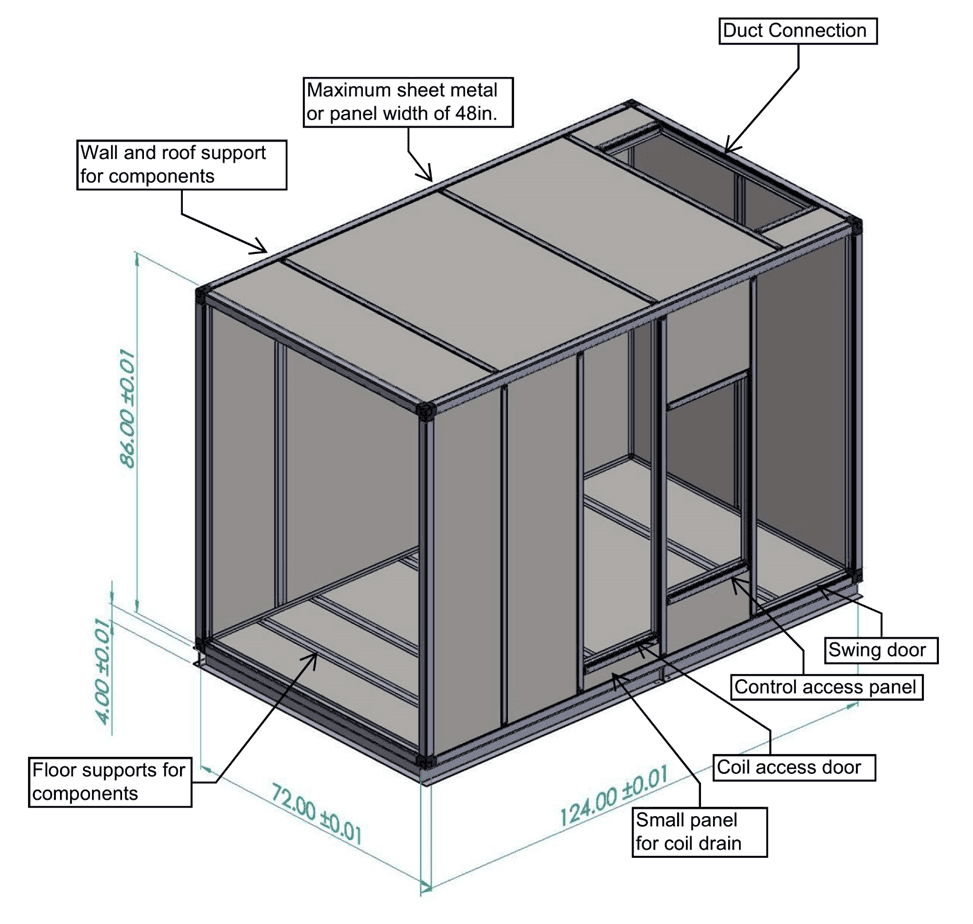
Start Here — Step 2: position intermediate supports around doors, duct connections, internal components, and panel divisions.
Start Here — Step 2 of 3
Once the basic frame is assembled, intermediate supports turn the outer box into a useful layout. Their positions determine where doors, panels, duct openings, internal walls, and other components can be attached.
1. Start with equipment and service access
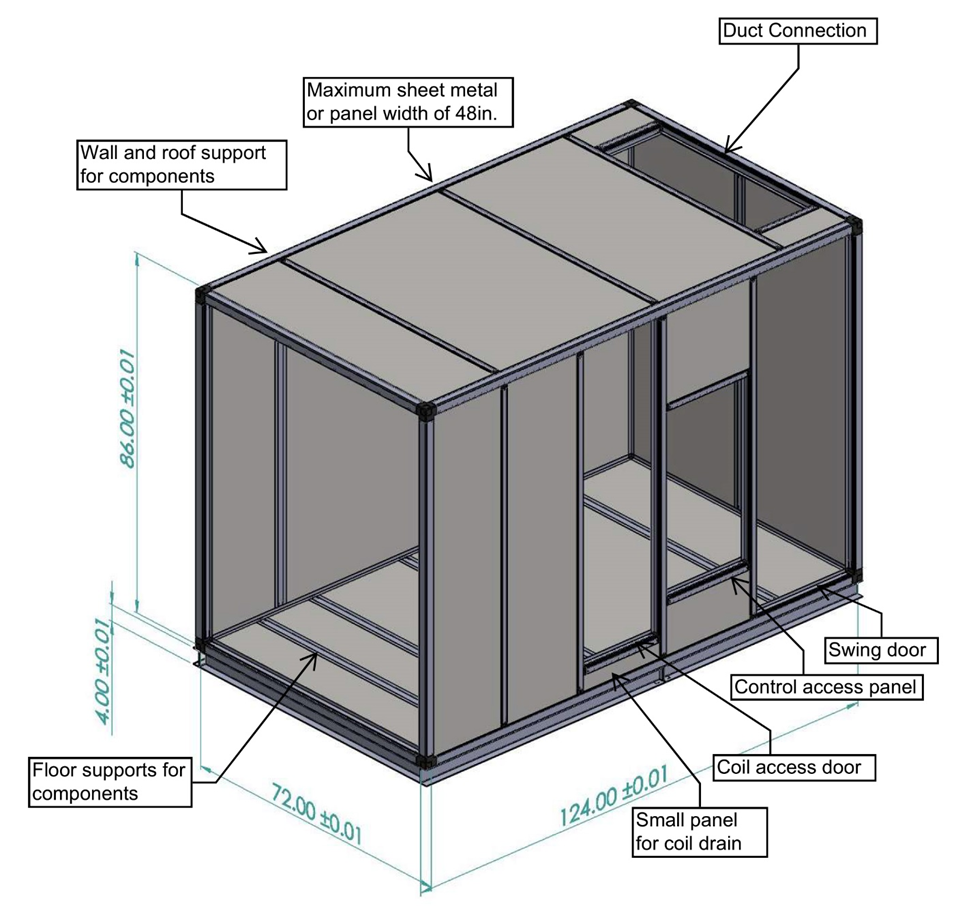
Mark the locations of internal equipment, duct connections, doors, and removable access panels on your layout. Consider how equipment will be installed and accessed before fixing the support positions.
2. Define the openings and panel divisions
- Doors and access openings: place supports around the required opening.
- Duct connections: frame the connection where it belongs in the airflow layout.
- Panel divisions: provide attachment points based on the available panel and sheet-metal sizes.
- Internal components: position supports where walls, shelves, flashings, and blank-offs need to attach.
Measure the resulting openings before ordering finished panels. Panel clearances and door movement need to be accounted for separately from the outer frame dimensions.
3. Prepare the intermediate profiles
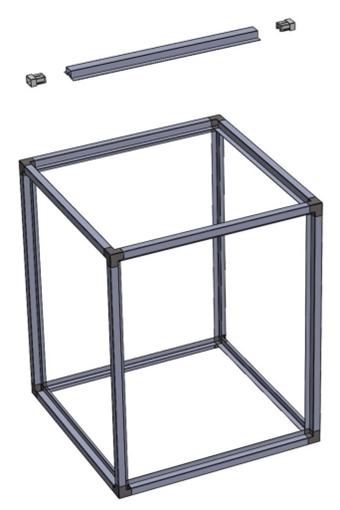
Use the intermediate profile and end caps that match your framing system. Align each end cap with the profile and seat it with a plastic-headed mallet until the inserted male portion is no longer visible. Verify cut lengths for the selected configuration; full-length intermediates match the corresponding perimeter cut lengths for most systems, but that is not a universal allowance for every layout.
4. Attach the supports to the perimeter
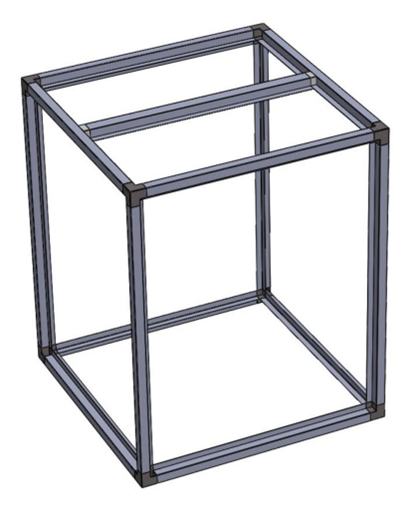
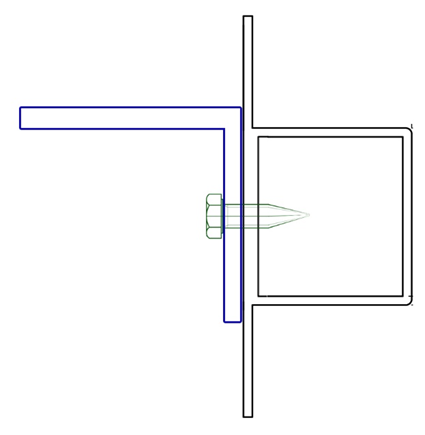
Position the intermediate at the required location. The existing MFS assembly method secures it with a self-drilling screw or rivet through the perimeter-profile flange into the intermediate end cap. A 1/8″ pilot hole is suggested in that guide. Verify the attachment location and fastener selection for your actual system.
5. Add internal walls, shelves, and blank-offs
MFS profiles incorporate flange and bolt-track features for internal attachments. A common approach is to secure internal sheet-metal components to the intermediate-profile body with screws or rivets.
Choose spacing for the project
There is no single intermediate-support spacing or load capacity that applies to every enclosure. Span, weight distribution, panel material, metal gauge, component weight, and static pressure all affect the result. MFS can provide profile properties and deflection information; a knowledgeable engineer should evaluate the complete unit and determine the support layout and fastening requirements.
More internal attachment examples · Discuss your framing layout with MFS
Continue the Start Here series
Related posts
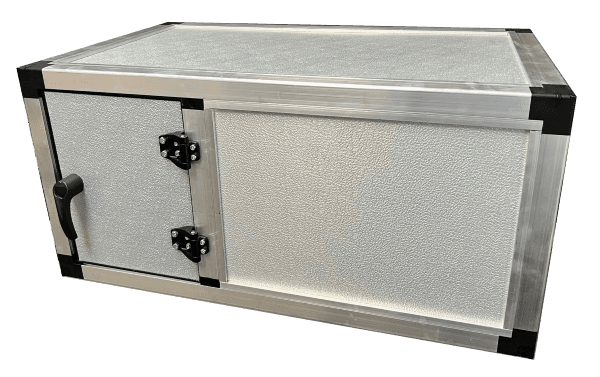
How to Install Panels and Skin a Unit
Start Here — Step 3: compare Standard and Stopper panel installation, plan gaskets and clearances, and understand common sheet-metal skinning techniques.
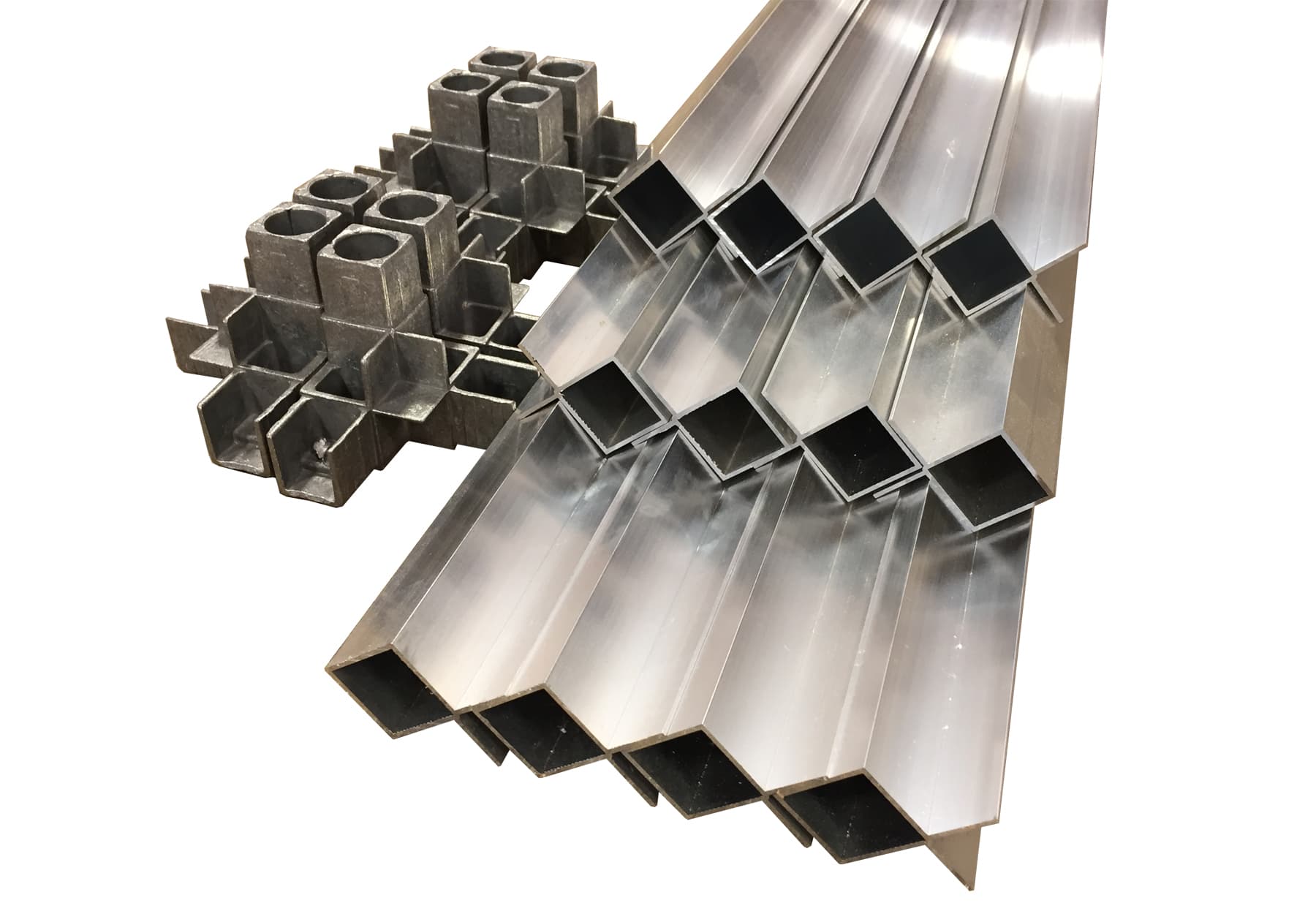
How to Assemble a Basic Frame
Start Here — Step 1: prepare your cut profiles, seat the corner joints, and assemble the perimeter frame before adding supports and panels.
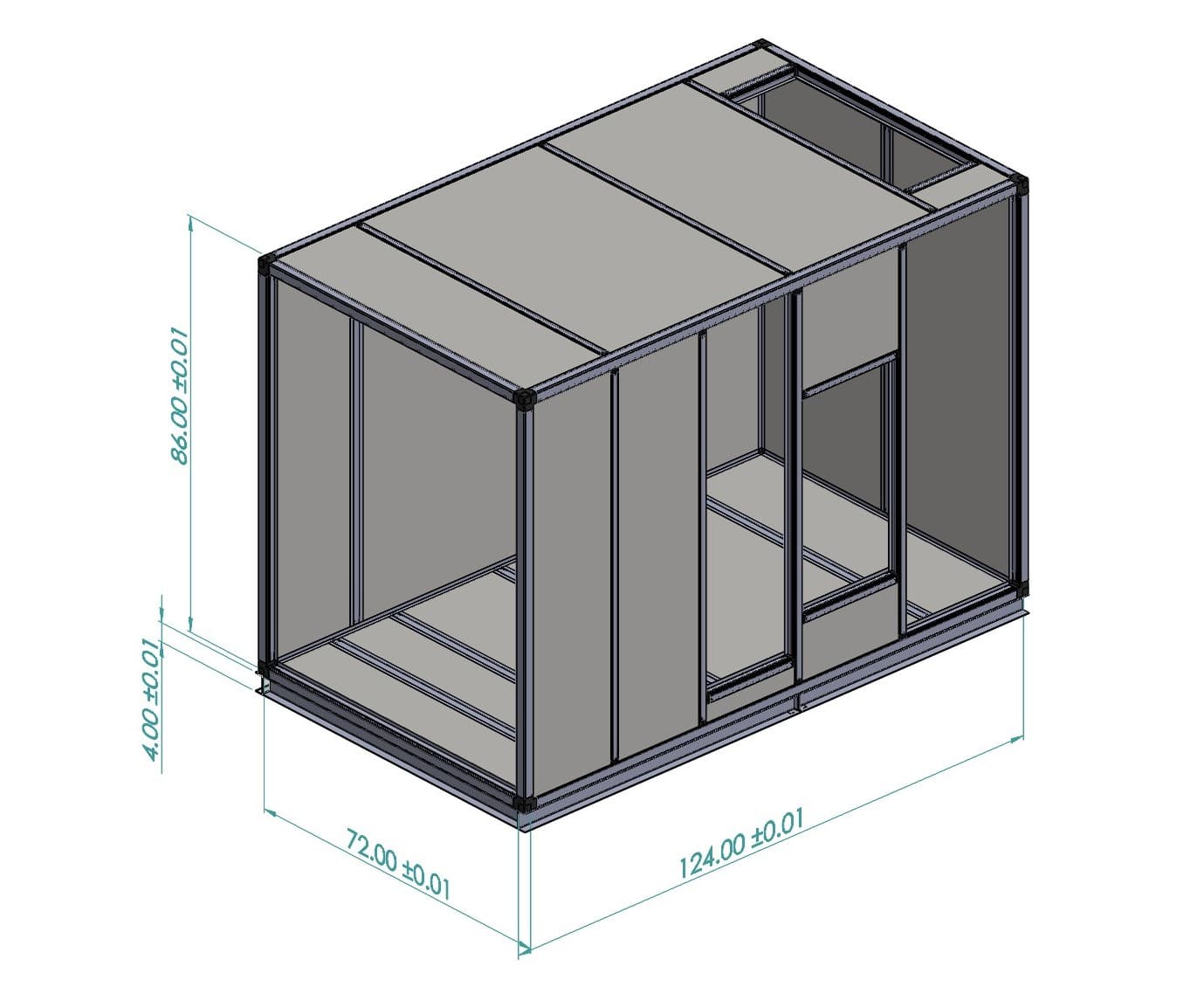
How do I calculate my cut lengths for the different framing systems?
Calculating the cut length on extrusions is most commonly done by deducting the exposed portion of the corner joints from the overall desired outside dimensions or you box. For example: